DHCP 静态绑定
2025/10/29大约 1 分钟
DHCP 静态绑定
网络需求
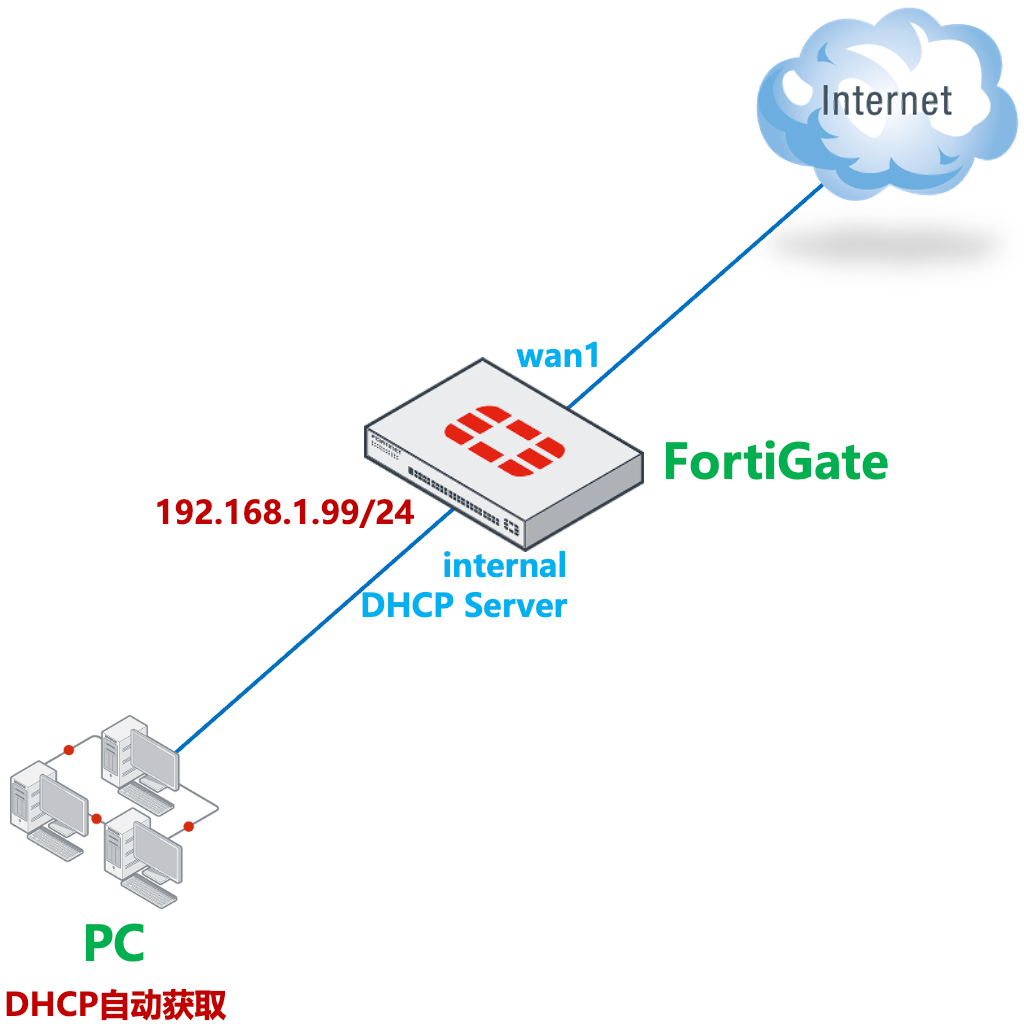
开启 FortiGate 的 DHCP 服务器功能,内网电脑可通过自动获取地址的方式上网。内网用户网段为 192.168.1.0/24,网关为 192.168.1.99。为 MAC 地址 00:0c:29:57:97:29 的主机保留 ip 地址 192.168.1.110。
网络拓扑
配置要点
- 基本上网配置
- 配置 DHCP 服务器
配置步骤
基本上网配置,请参考策略与对象 → 单线路上网配置 → 静态地址线路上网配置章节。
配置 DHCP 服务,请参考网络管理 → DHCP 配置 → DHCP 服务器配置章节。
配置保留 IP,也可参考网络管理 → DHCP 配置 → DHCP 服务器配置中的 GUI 方式配置。
FortiGate# config system dhcp server
FortiGate(server) # edit 1                          //DHCP基础配置
FortiGate(1)#set dns-service default
FortiGate(1)#set default-gateway 192.168.1.99
FortiGate(1)#set netmask 255.255.255.0
FortiGate(1)#set interface internal
FortiGate(1) # config ip-range
FortiGate(ip-range) #edit 1
FortiGate(1)set start-ip 192.168.1.110
FortiGate(1)set end-ip 192.168.1.210
FortiGate(1) # next
FortiGate(ip-range) # end                            //DHCP基础配置
FortiGate(1)#config reserved-address                 //配置保留IP
FortiGate(reserved-address)#edit 1           //条目:1,2,3,仅做为标识作用,可以写多个条目。
FortiGate(1) # set ip 192.168.1.110                  //为指定MAC地址分配该IP地址
FortiGate(1) # set mac 00:0c:29:57:97:29             //指定MAC地址
FortiGate(1) # next
FortiGate(reserved-address) # end
FortiGate(1) # next
FortiGate(server) #end
结果验证
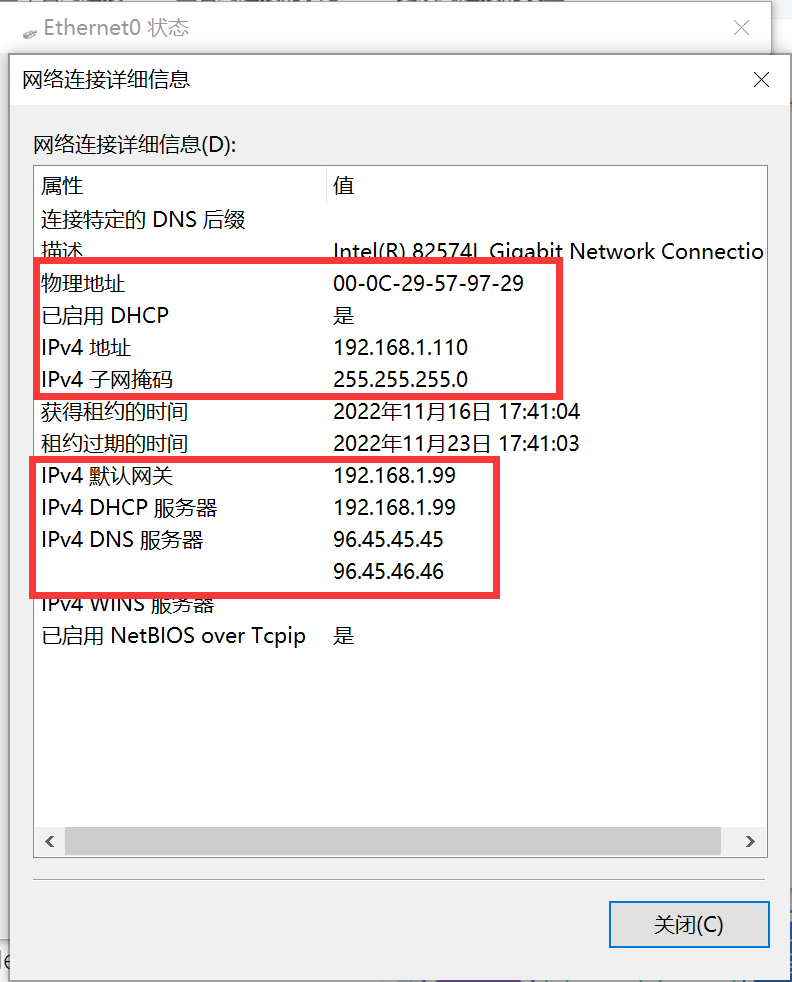
将电脑配置为自动获取 IP 地址模式,MAC 地址为 00:0c:29:57:97:29 的主机会获取 192.168.1.110。
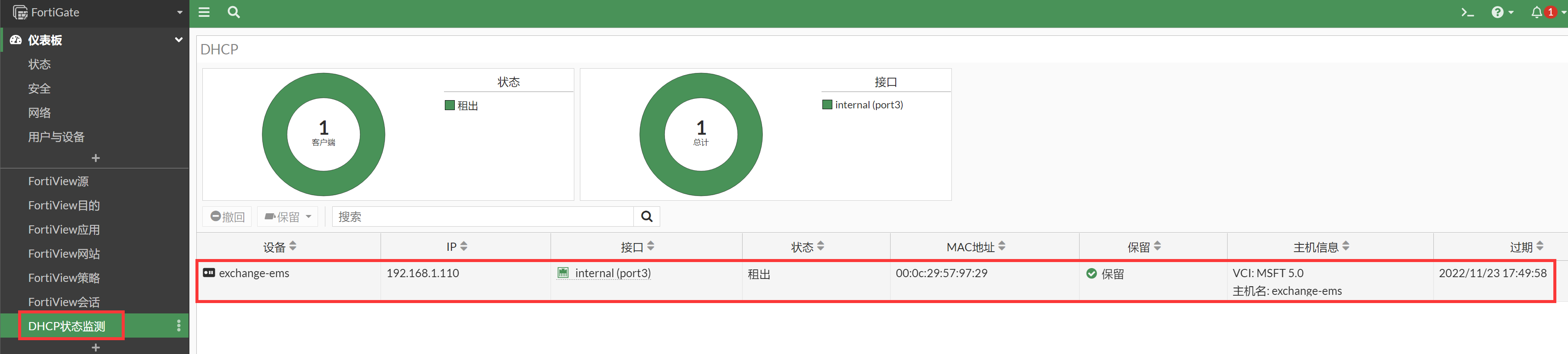
查看防火墙上 dhcp 地址池分配情况。