使用 Windows 系统防火墙与 FortiGate 建立 IPSec VPN
使用 Windows 系统防火墙与 FortiGate 建立 IPSec VPN
Windows Firewall IPSec 配置步骤
在使用 Windows 防火墙的 IPSec 功能前,需要将 Windows 防火墙功能打开。点击键盘 Win(徽标)键,输入“Windows Defender Firewall”,点击左侧的“Turn Windows Defender Firewall on or off”,将需要使用 VPN 的网络的防火墙功能打开。

配置 Windows Firewall IPSec 的自定义安全提议。上图中点击返回按钮,然后点击左侧的“Advanced Settings”,点击“Windows Defender Firewall Properties”。
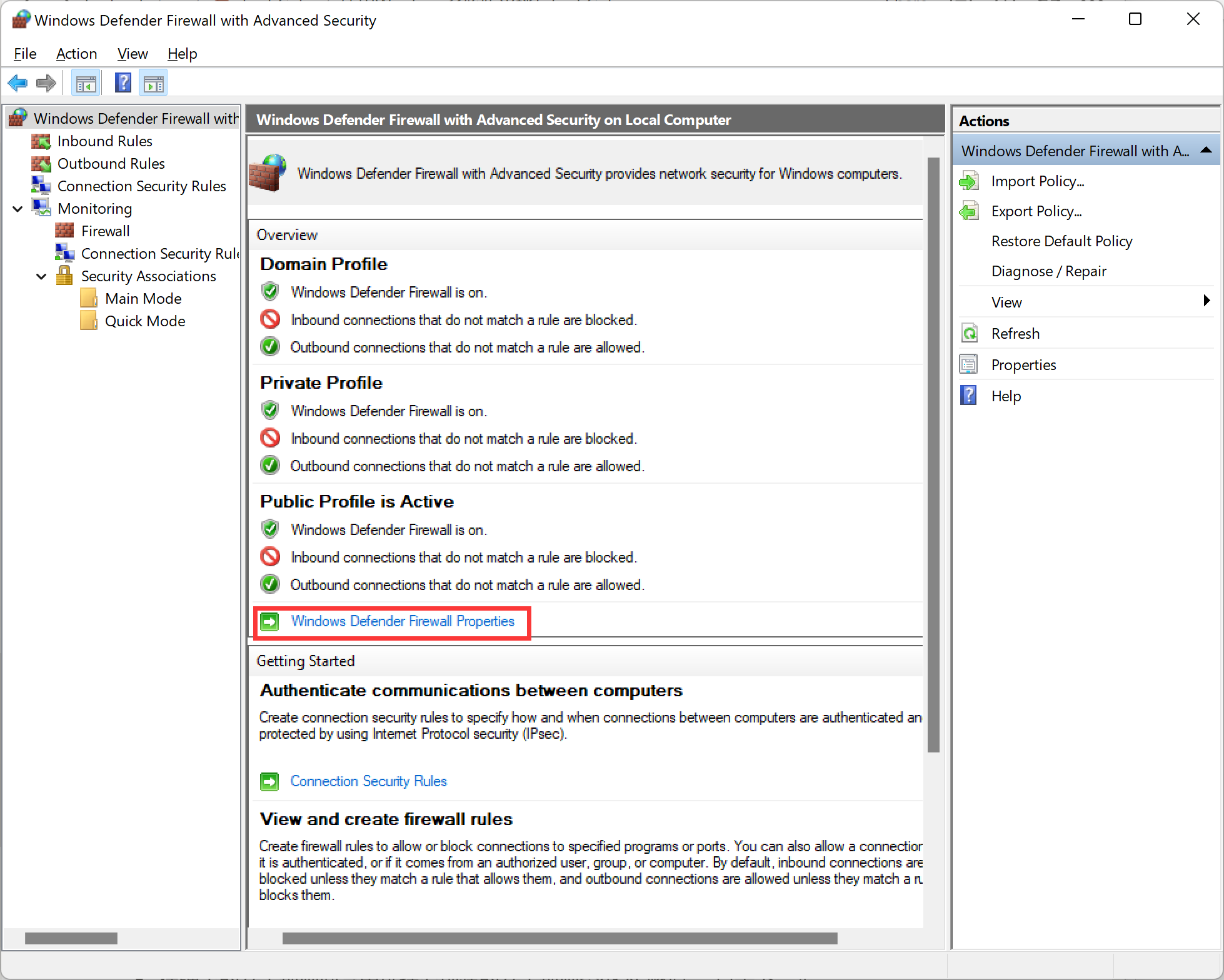
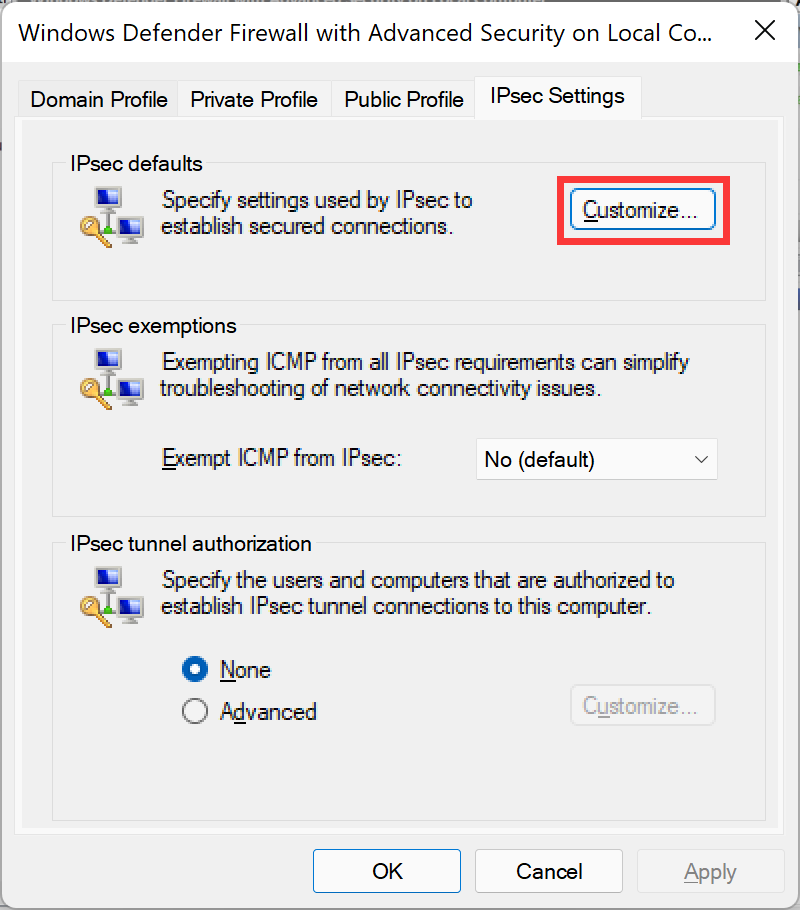
在弹出的属性界面中点击“IPSec Settings”选项卡,在“IPSec defaults”中点击“Customize...”按钮。
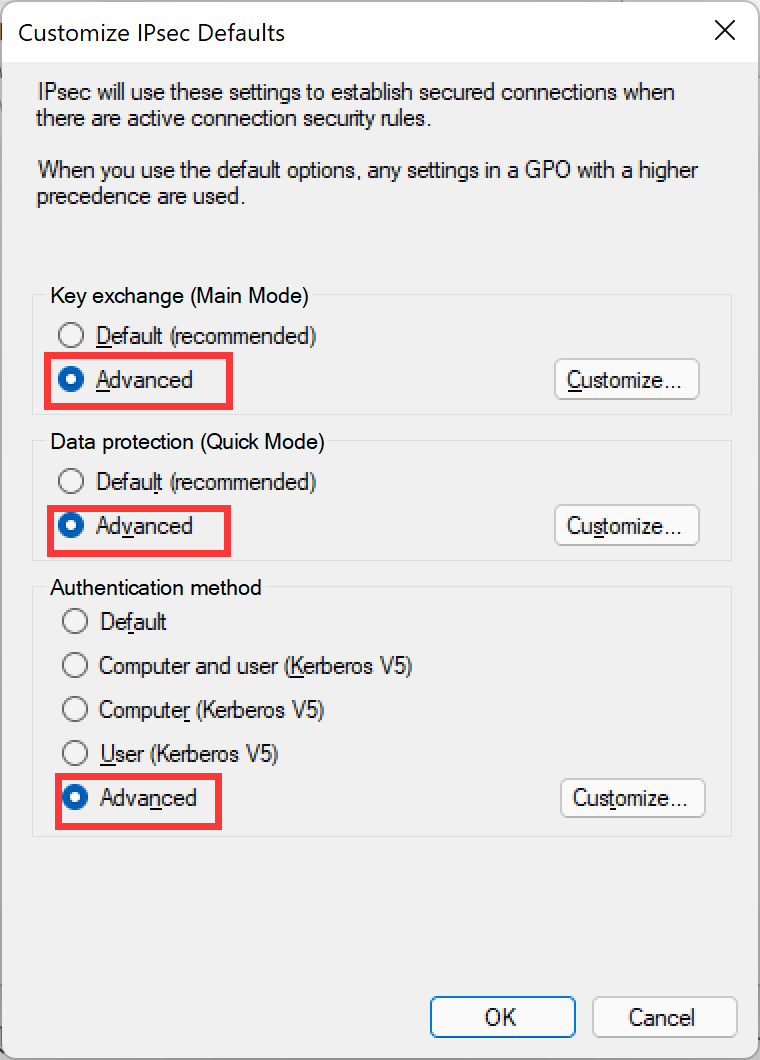
配置“Key exchange (Main Mode)”、“Data protection (Quick Mode)”、“Authentication method”均为“Advanced”。
配置第一阶段自定义安全提议。点击“Key exchange (Main Mode)”中的“Customize...”按钮。配置完整性算法、加密算法和 DH 组。
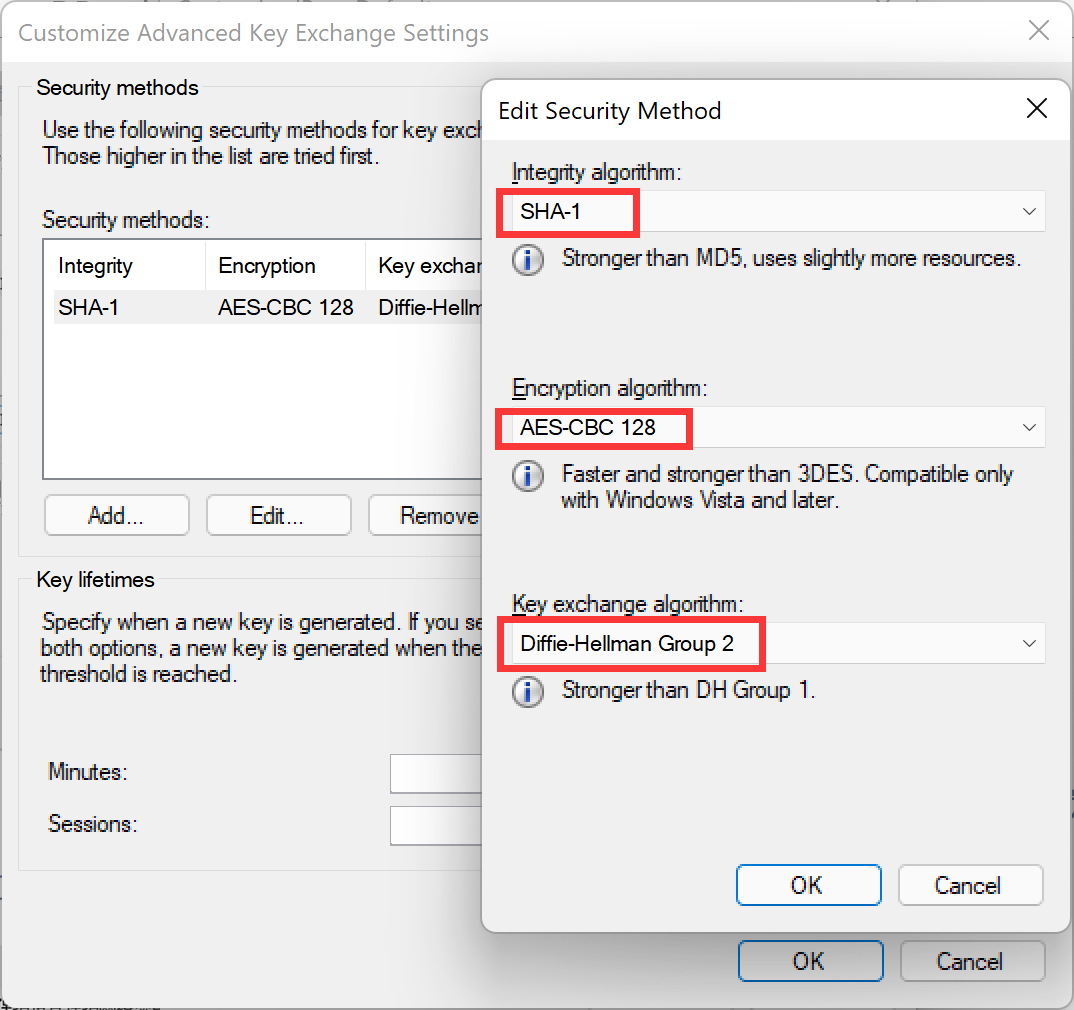
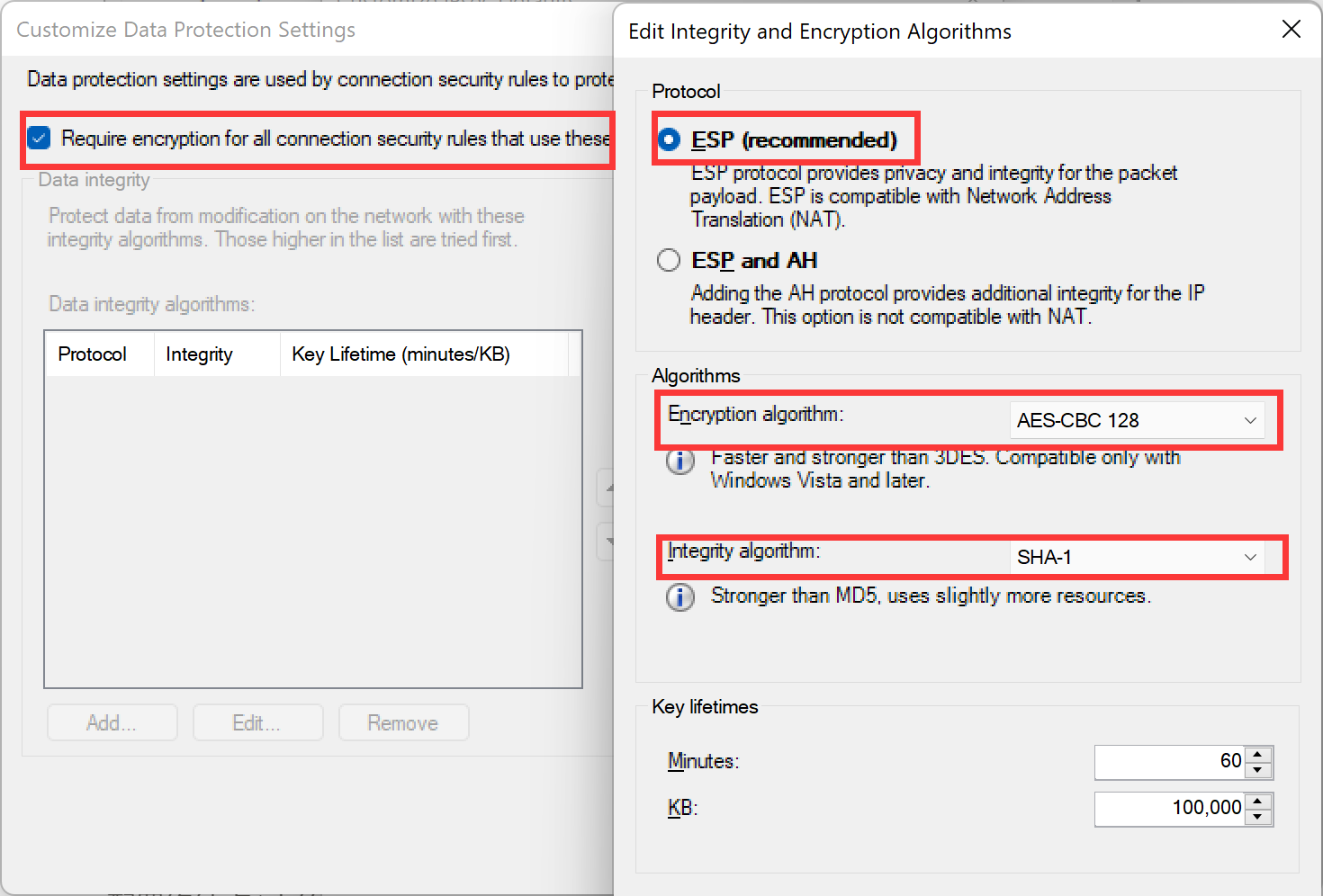
配置第二阶段自定义安全提议。点击“Data protection (Quick Mode)”中的“Customize...”按钮。开启“Require encryption for all connection security rules that use these settings”,配置完整性算法、加密算法。
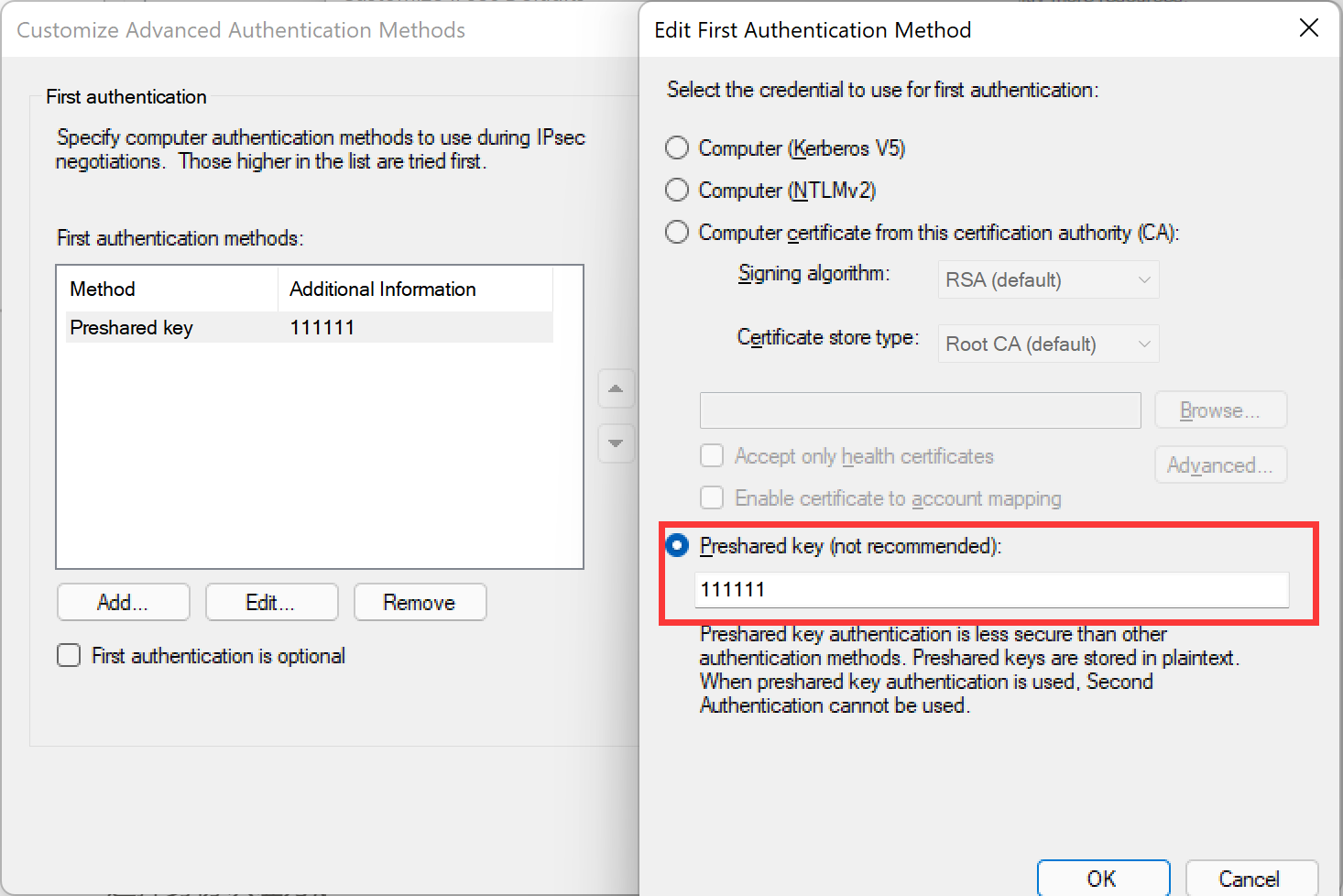
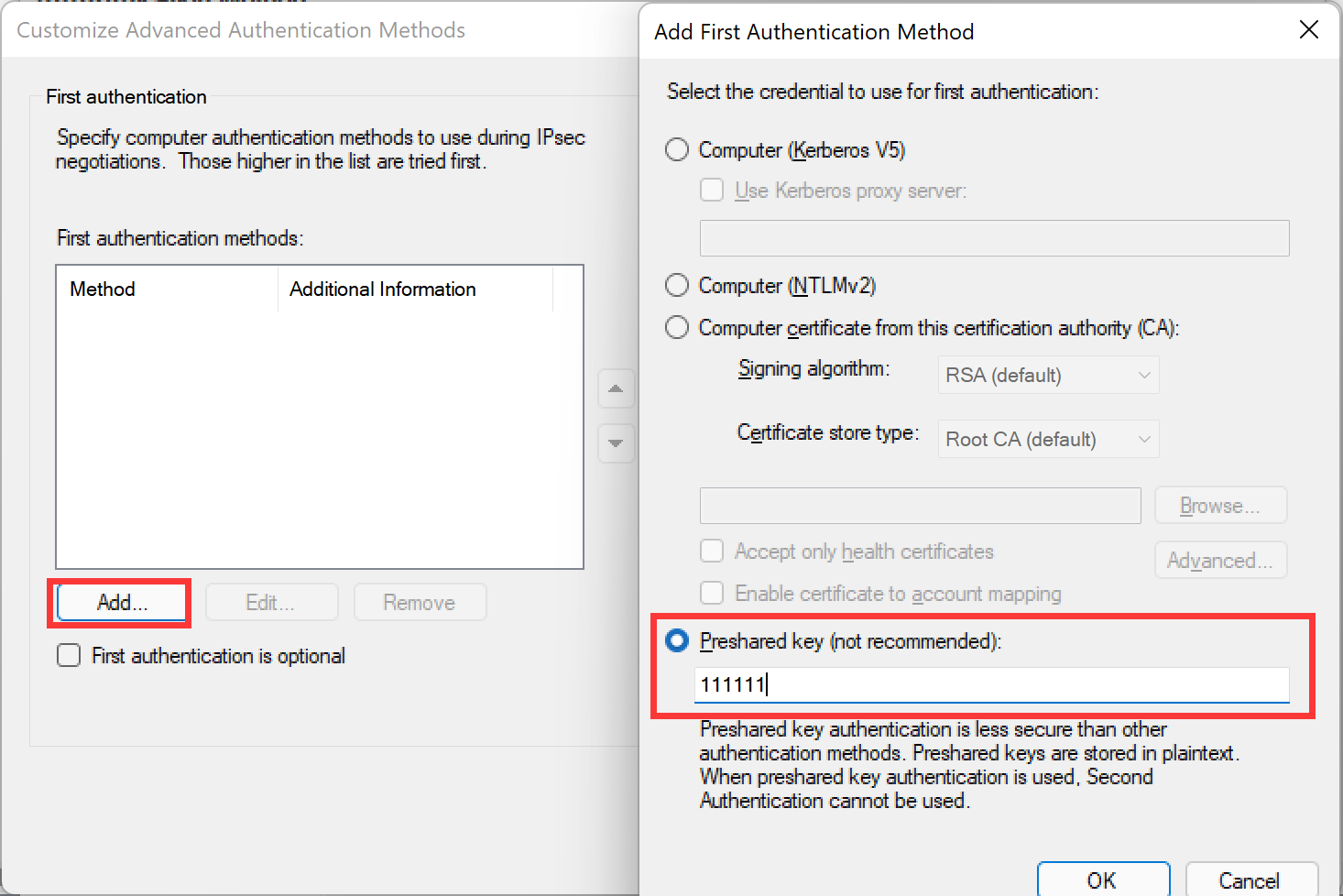
配置自定义的认证方式。点击“Authentication method”中的“Customize...”按钮,按需求配置认证方法,这里以“预共享密钥”为例。
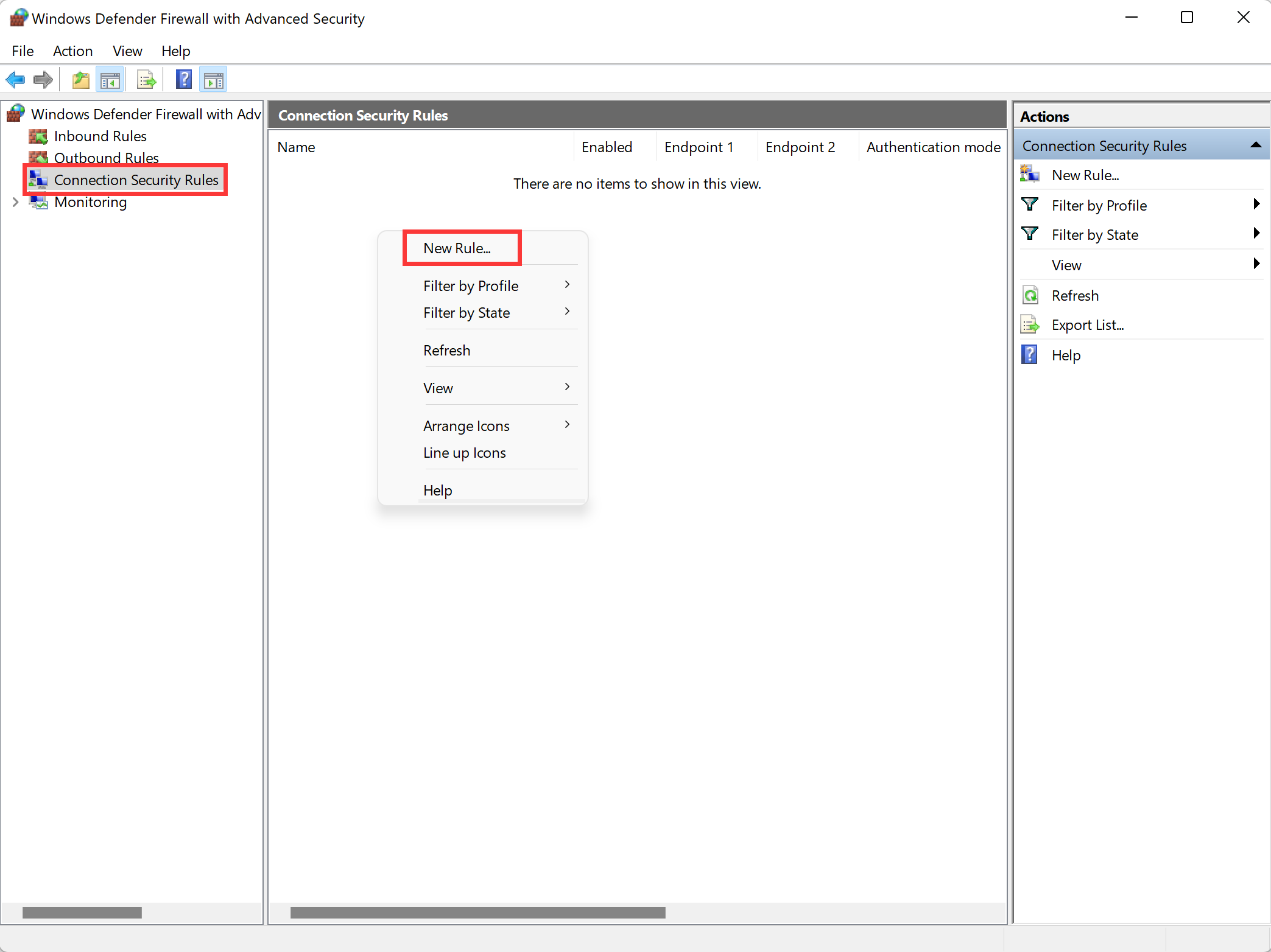
在 Windows 高级防火墙中创建 IPSec 连接。进入 Windows Defender Firewall with Advanced Security → Connection Security Rules,右键点击后选择“New Rules”。
在弹出的安全规则向导中选择要创建的安全规则类型为“Tunnel”,点击下一步。

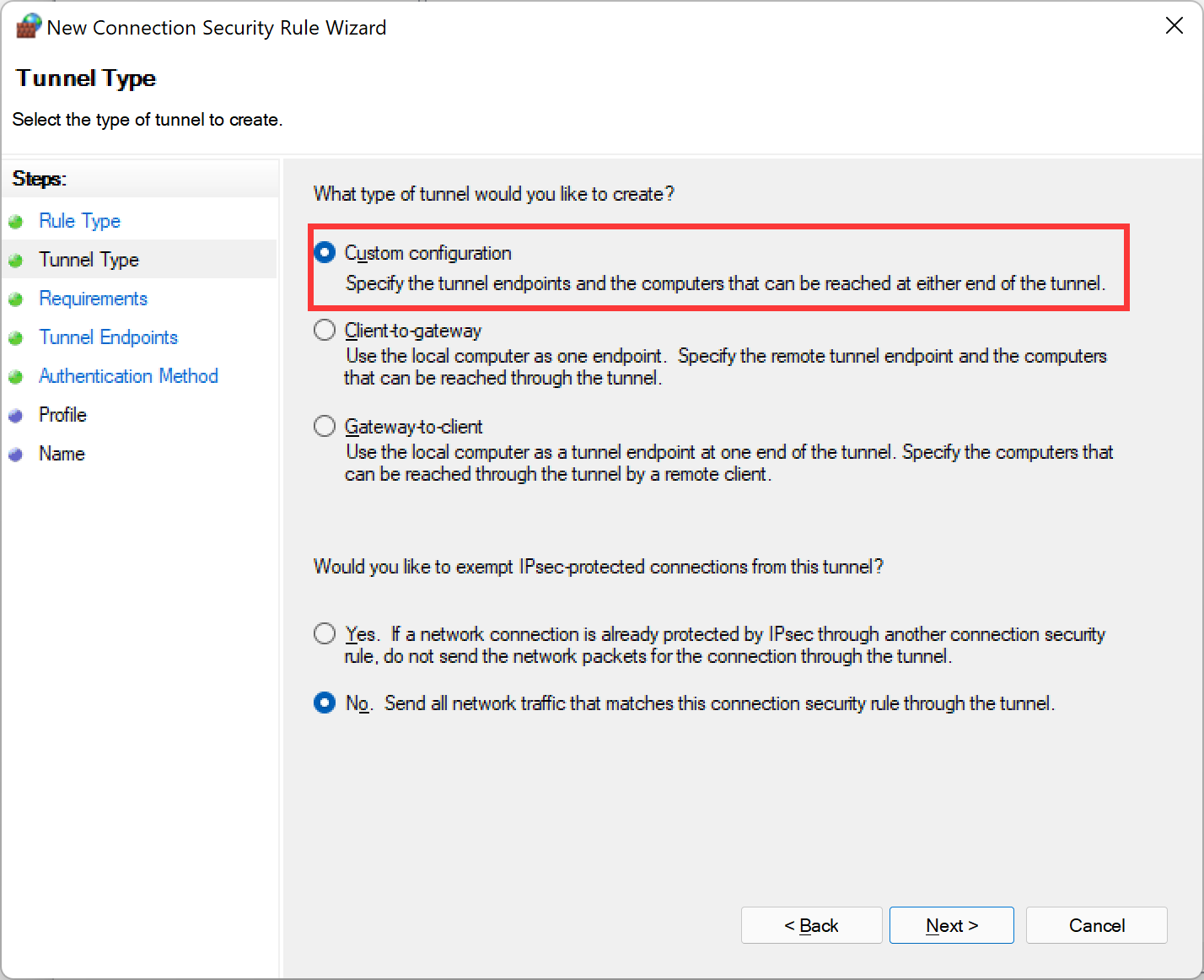
隧道类型选择“Custom configuration”,其余选项默认,点击下一步。
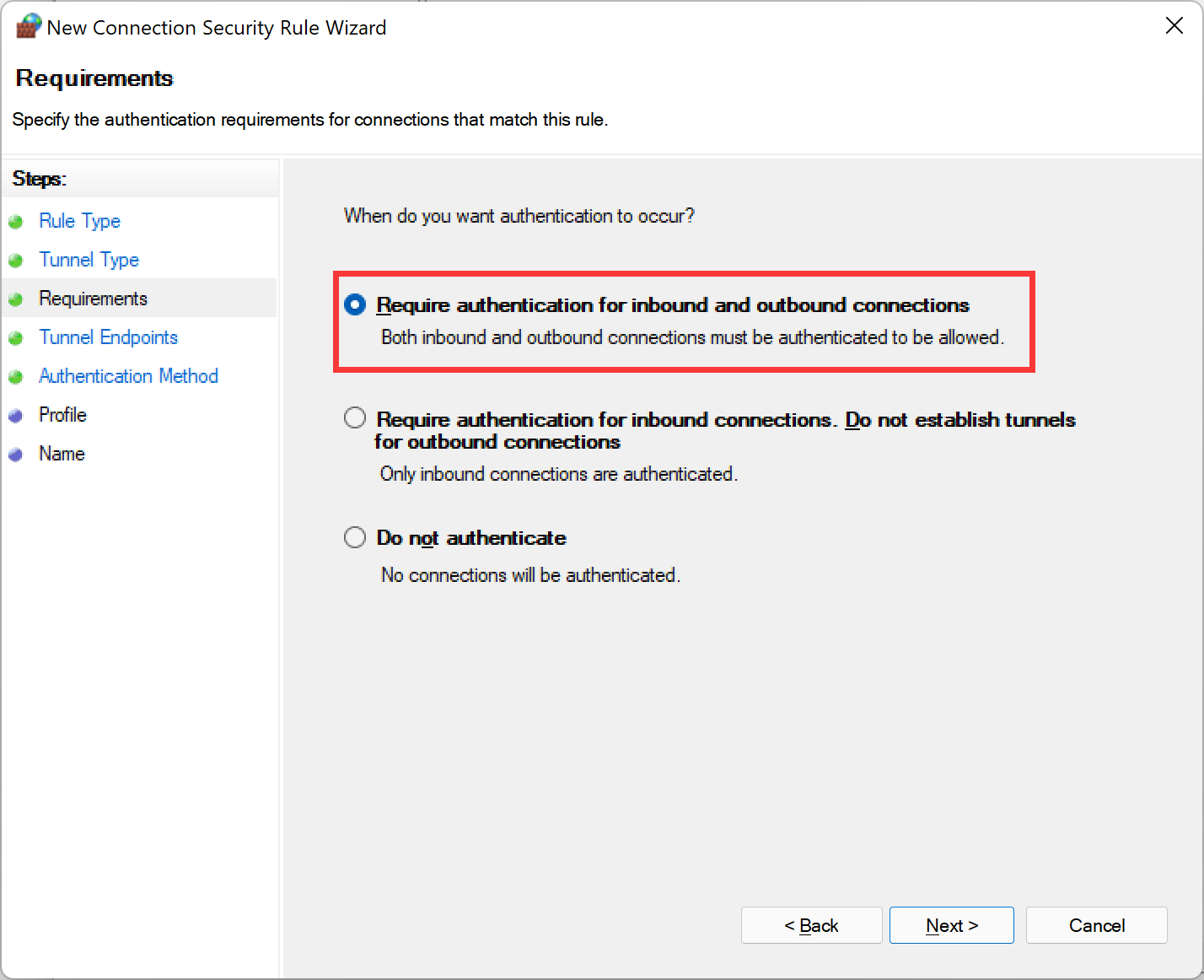
身份验证时间选择“Require authentication for inbound and outbound connections”,点击下一步。
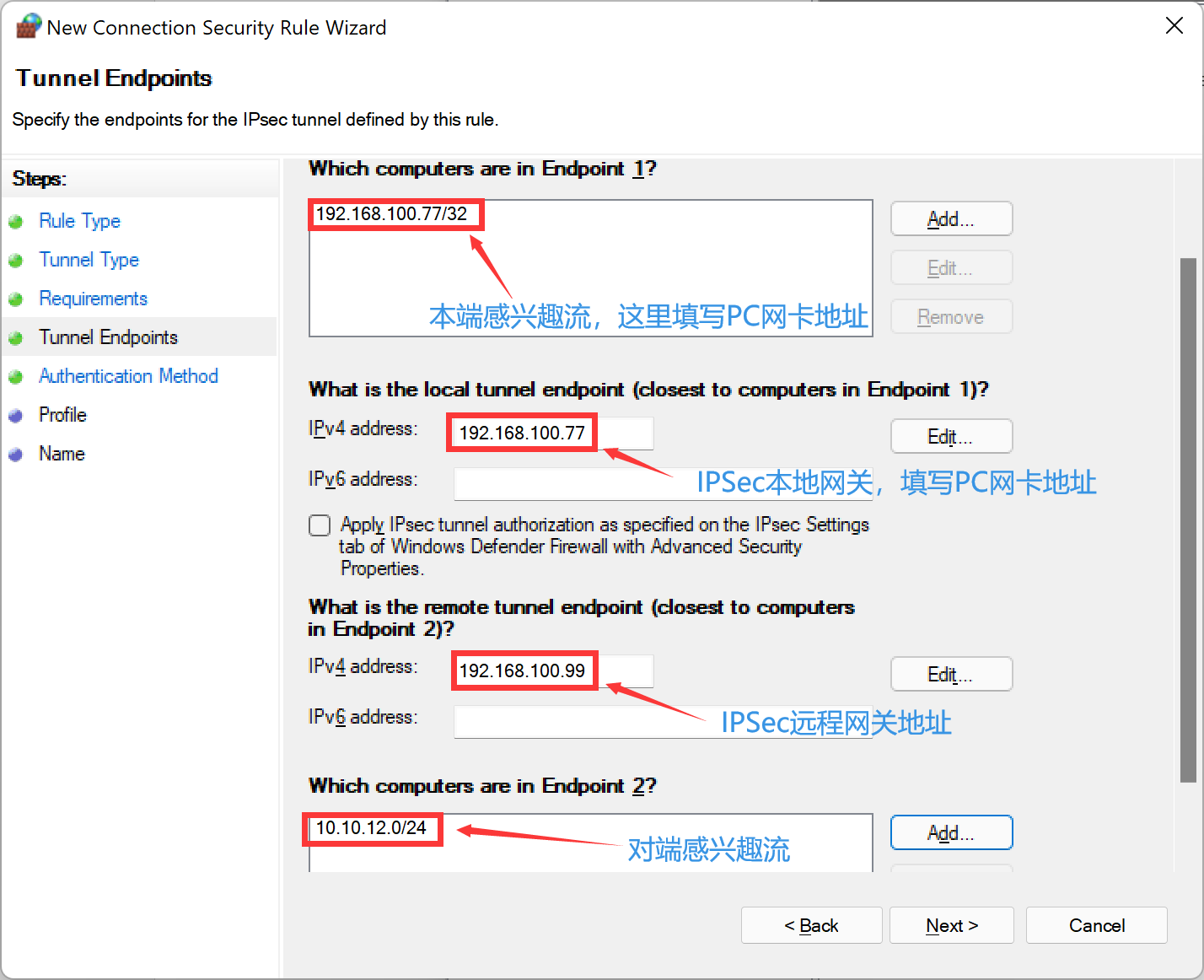
配置终结点 1 中的计算机,这里填写 Windows 本端的保护网段,一般情况下为 PC 的通信地址;配置终结点 2 中的计算机,这里填写对端的保护网段,注意只有 PC 发起了向该保护网段的流量,协商才能被触发;配置本地隧道和远程隧道终结点,这里填写 Windows 本端和对端 IPSec 服务器的协商 IP 地址。注意只有 PC 发起了向该保护网段的流量,协商才能被触发。点击下一步。
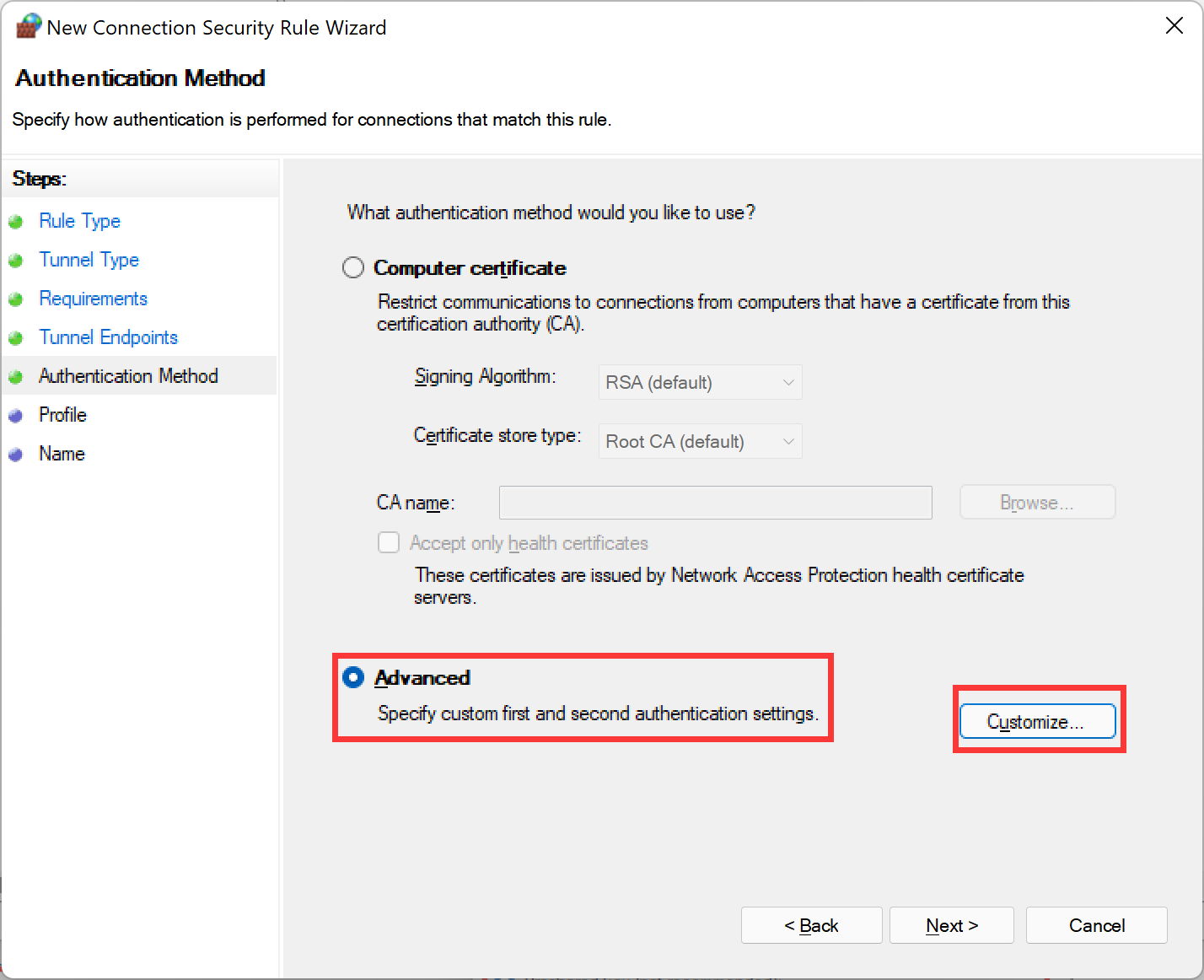
选择身份认证方法为“Advanced”,并点击“Customize...”按钮。
按需求配置认证算法,这里以预共享密钥为例。保存后点击下一步。
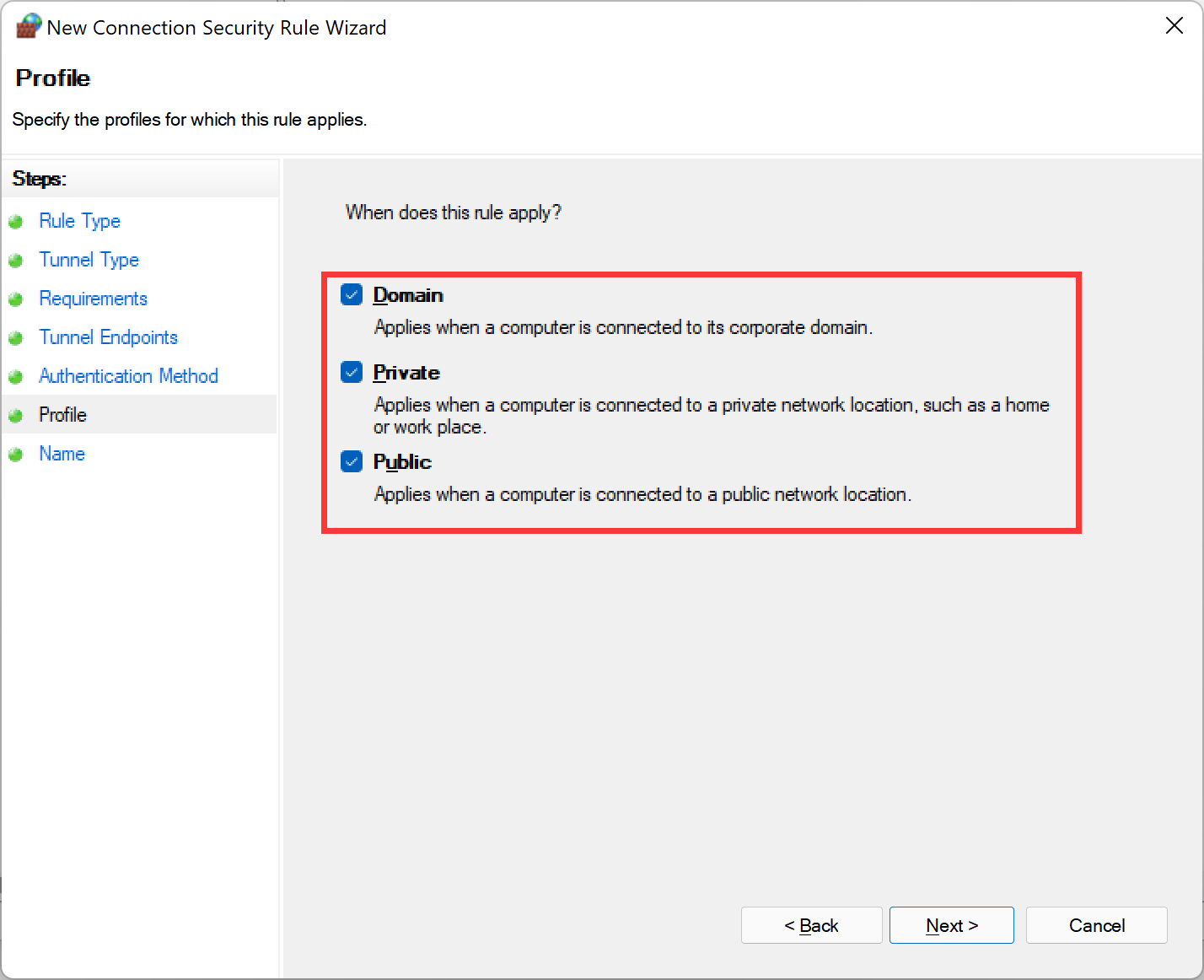
“When does this rule apply”选择默认即可。点击下一步。
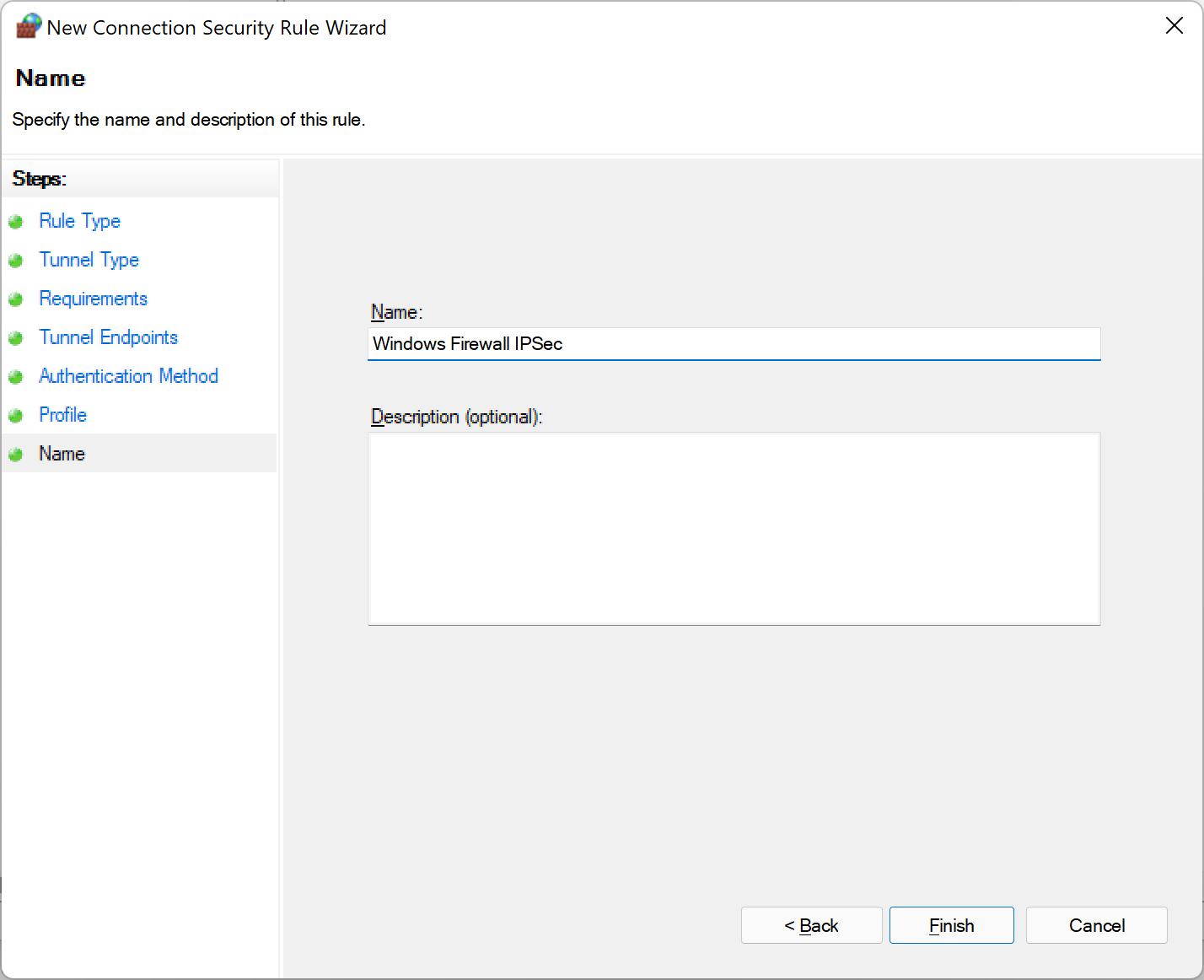
为 IPSec 连接配置名称,完成。
补充:高级防火墙 IPSec 配置的特点是每条连接只用简单的配置本、对端的公网 IP 以及保护网段,安全提议是一个全局配置,所有连接都会受此安全提议影响。这样非常简单快速但也缺少很多灵活性,比如需要这些连接的安全提议不一致时就无法满足。其实高级防火墙是做了很多东西的。在后台的命令行,使用 netsh advfirewall 命令可以对高级防火墙并进行灵活配置,以下是一些简单的配置实例。
- cmd>netsh advfirewall(进入高级防火墙配置)
- netsh advfirewall conse(更改防火墙配置)
- netsh advfirewall conse [add|delete|set] rule name=连接名 new option=value(增、删、改一条连接。具体选项和可用参数可以在 [add|delete|set] rule help中可以查看,内容非常详细的)
- netsh advfirewall consec>set rule name=v4_ipsec new qmsecmethods(第二阶段的安全提议,如果需要配置PFS必须先配置安全提议)=esp:md5-3des+600000min+100000kb qmpfs=dhgroup2(开启PFS,并且使用DH2,当ESP加密算法为空时开启PFS不生效)
FortiGate 配置
IPSec 配置
config vpn ipsec phase1-interface
    edit "WindowsFw"
        set type dynamic
        set interface "lan"
        set peertype any
        set net-device disable
        set proposal aes128-sha1
        set dpd on-idle
        set dhgrp 2
        set psksecret xxxxxxxx
        set dpd-retryinterval 60
    next
end
config vpn ipsec phase2-interface edit "WindowsFw" set phase1name "WindowsFw" set proposal aes128-sha1 set pfs disable set src-subnet 10.10.12.0 255.255.255.0 set dst-subnet 192.168.100.77 255.255.255.255 next end防火墙策略配置
VPN资源地址对象:
config firewall address
    edit "Local_10.10.12.0/24"
        set subnet 10.10.12.0 255.255.255.0
    next
end

客户端地址对象:
config firewall address
    edit "Remote_192.168.100.77/32"
        set subnet 192.168.100.77 255.255.255.255
    next
end

config firewall policy
    edit 1
        set name "WindowsFw"
        set srcintf "WindowsFw"
        set dstintf "port3"
        set action accept
        set srcaddr "Remote_192.168.100.77/32"
        set dstaddr "Local_10.10.12.0/24"
        set schedule "always"
        set service "ALL"
    next
end
结果验证
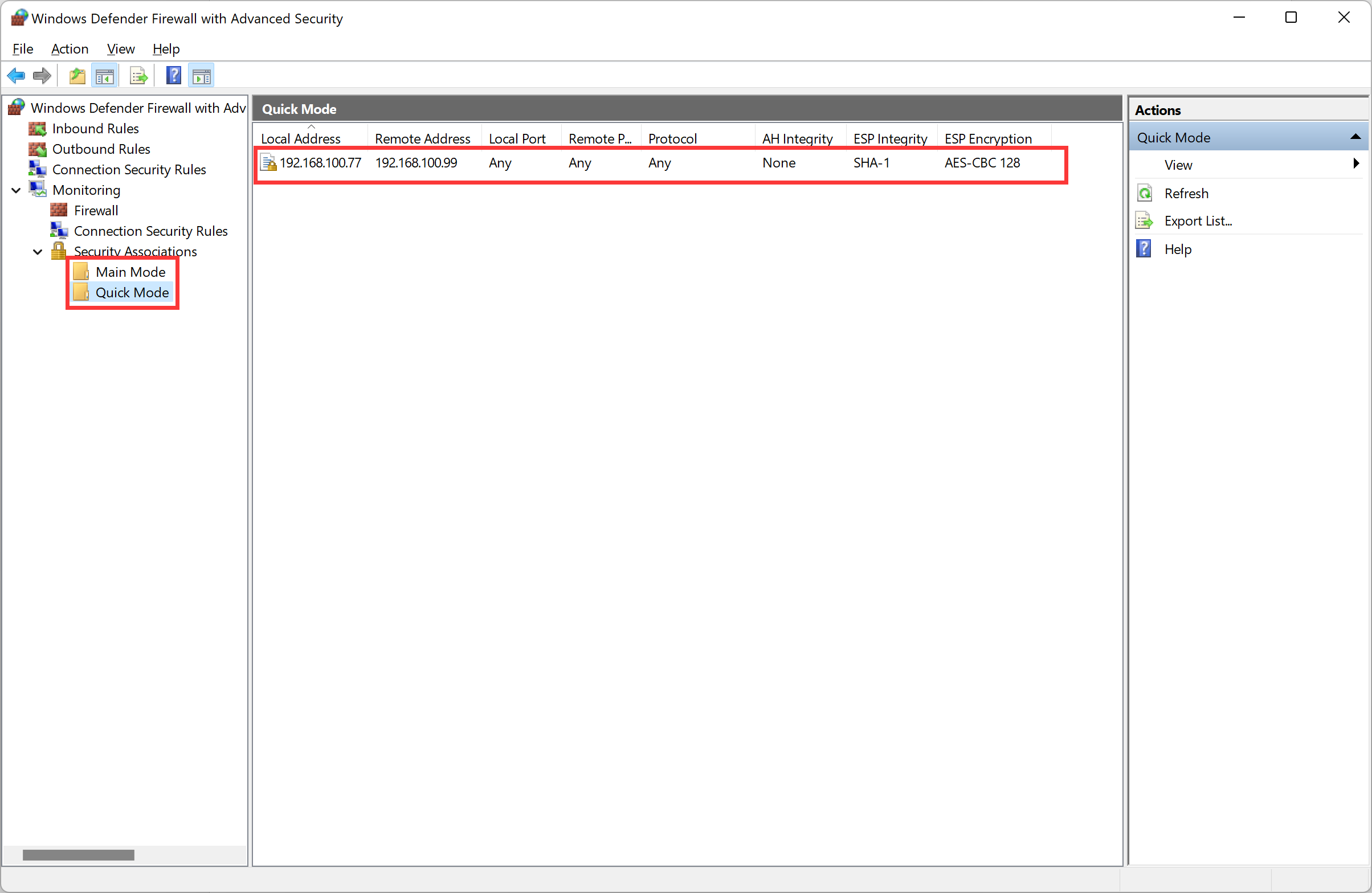
使用 PC ping FortiGate 端的感兴趣流,触发 IPSec 协商,查看 IPSec 连接建立状态:

Windows Firewall 连接监控:
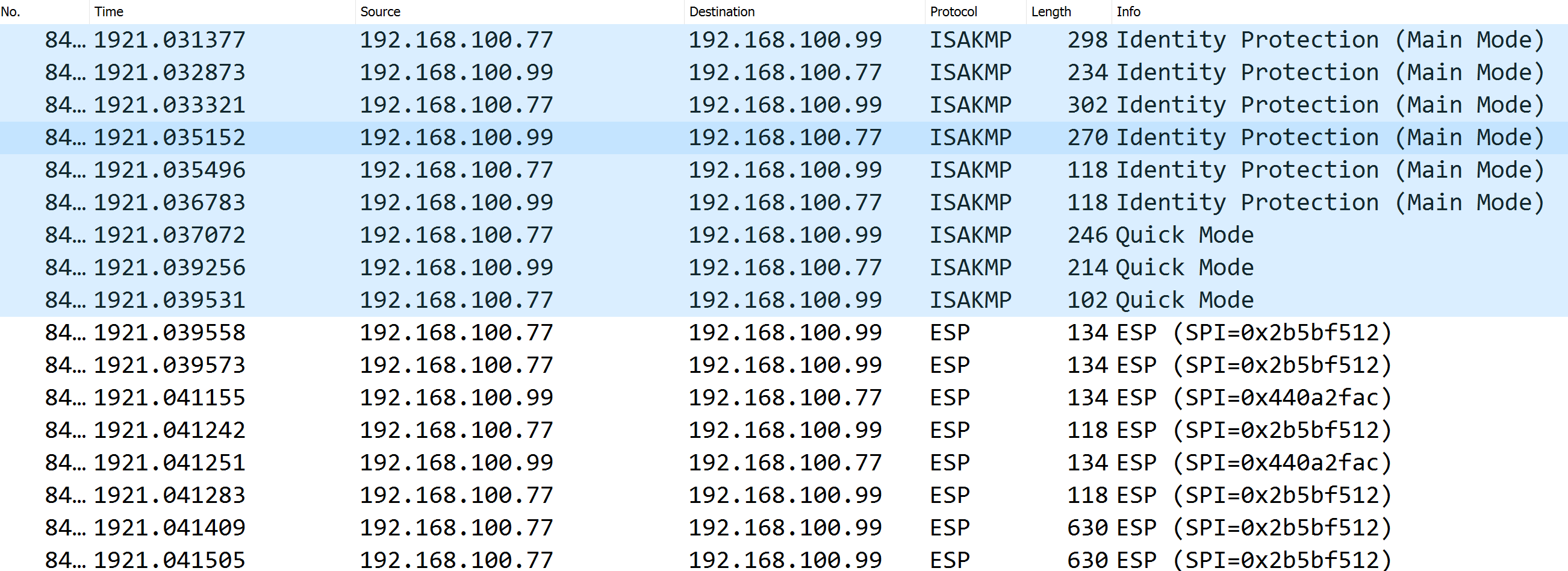
客户端抓包: