

交换机零配置跨二层部署
2025/12/31大约 3 分钟
交换机零配置跨二层部署
功能介绍
FortiSwitch 的 FortiLink 部署通常有两种方式:
- FortiSwitch 与防火墙直连时的 FortiLink 二层部署方式。
- FortiSwitch 与 FortiGate 之间串接第三方二层交换机时的 FortiLink 三层部署。
本文重点介绍第二种方式。
网络拓扑
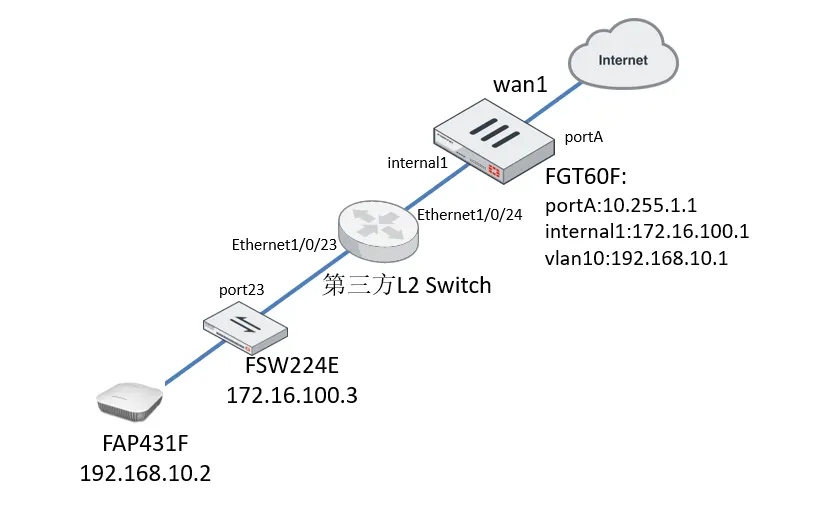
- FortiSwitch 与 FortiGate 之间串接第三方二层交换机,网络中所有设备的网关都在 FortiGate 防火墙上。
- FSW224E 交换机零配置通过 FortiLink 三层部署自动上线。
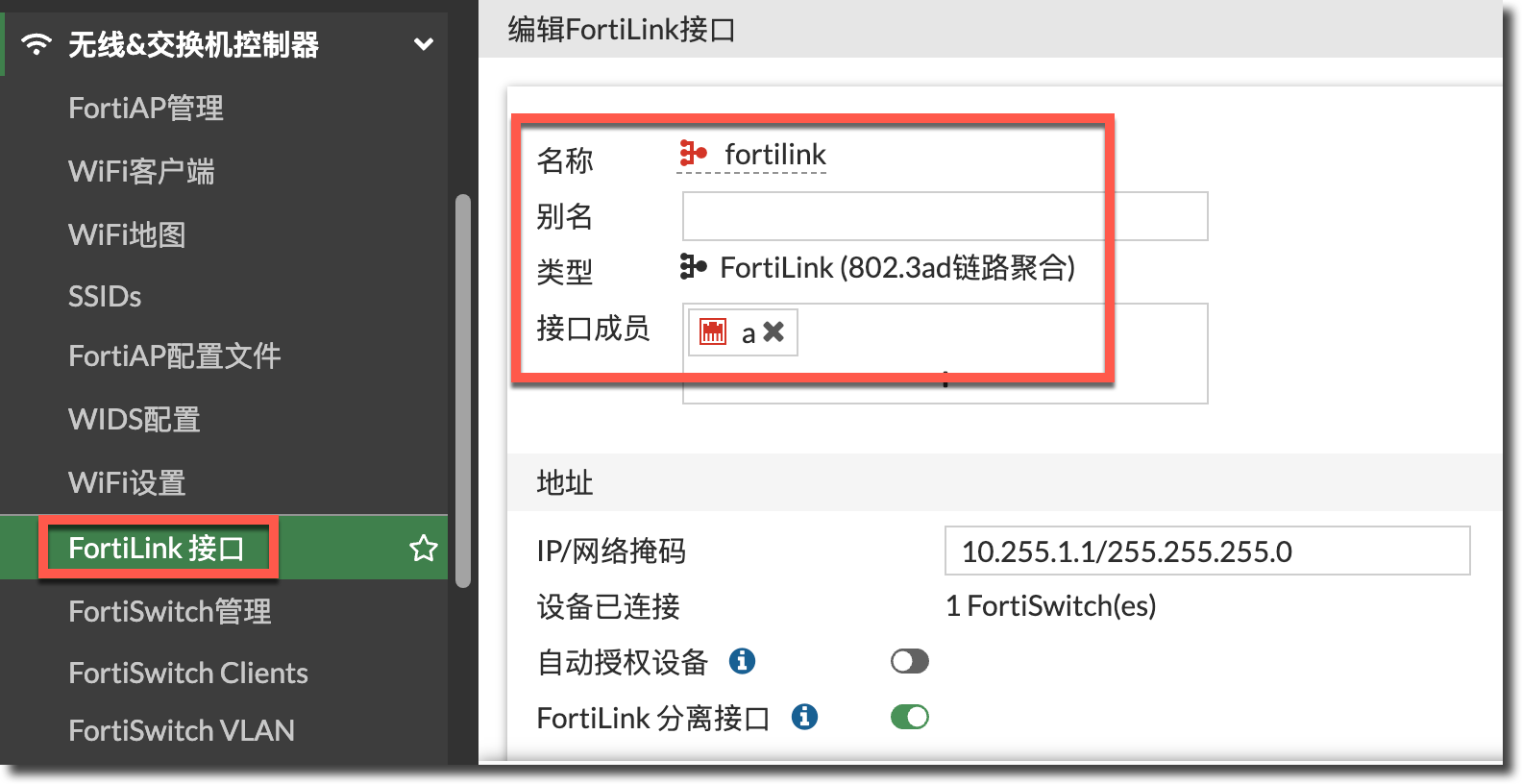
- FortiGate A 口开启 FortiLink,管理 FortiSwitch,FortiGate A 口不需要接入网线。
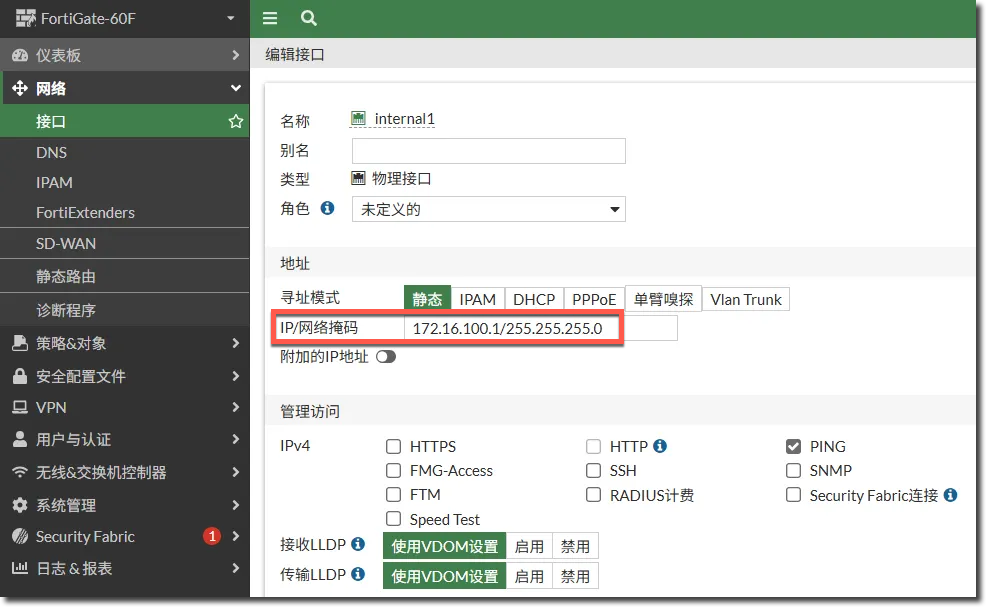
- FortiGate internal1 口作为交换机的网关。
- FortiGate internal1 口的 vlan10 子接口作为 FAP 的管理接口。
配置步骤/结果验证
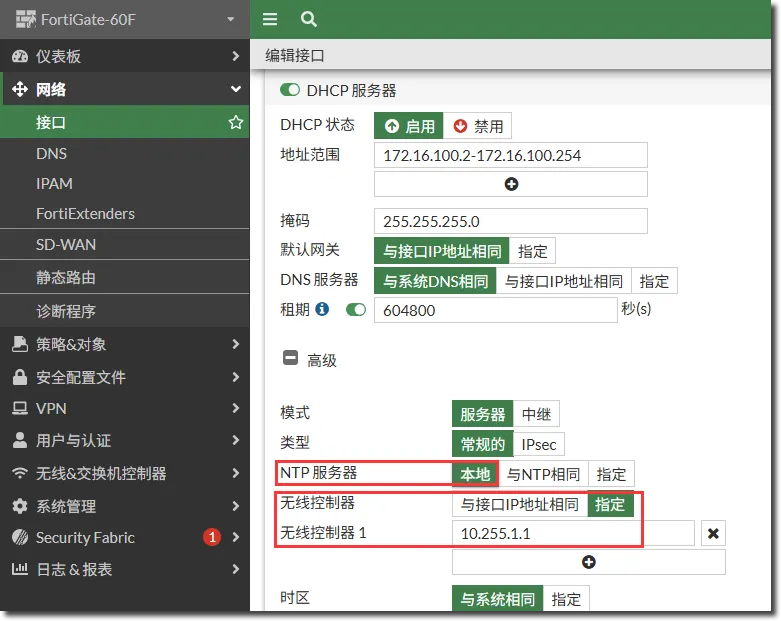
配置防火墙 internal1 接口,internal1 接口作为交换机的网关,通过 DHCP 给交换机分配 IP 地址,以及通过 DHCP Option 138 下发的 FortiLink 接口管理地址。
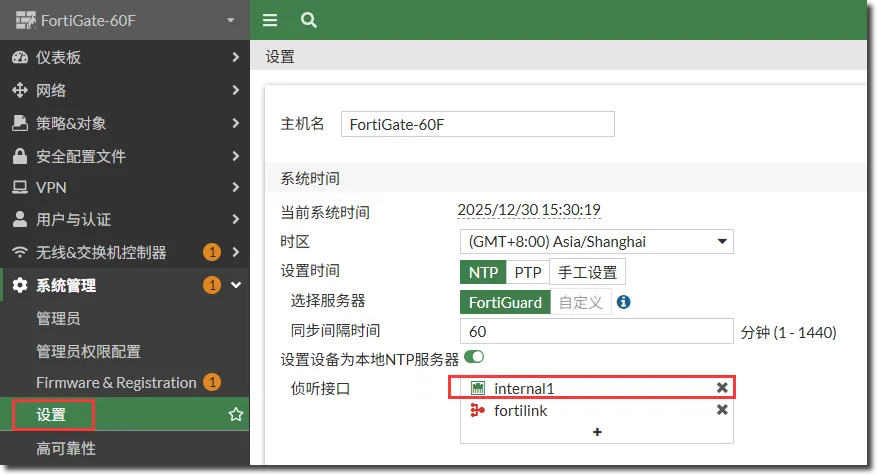
在“系统管理 → 设置”中的 NTP 侦听端口中增加 internal1 作为交换机 NTP Server。
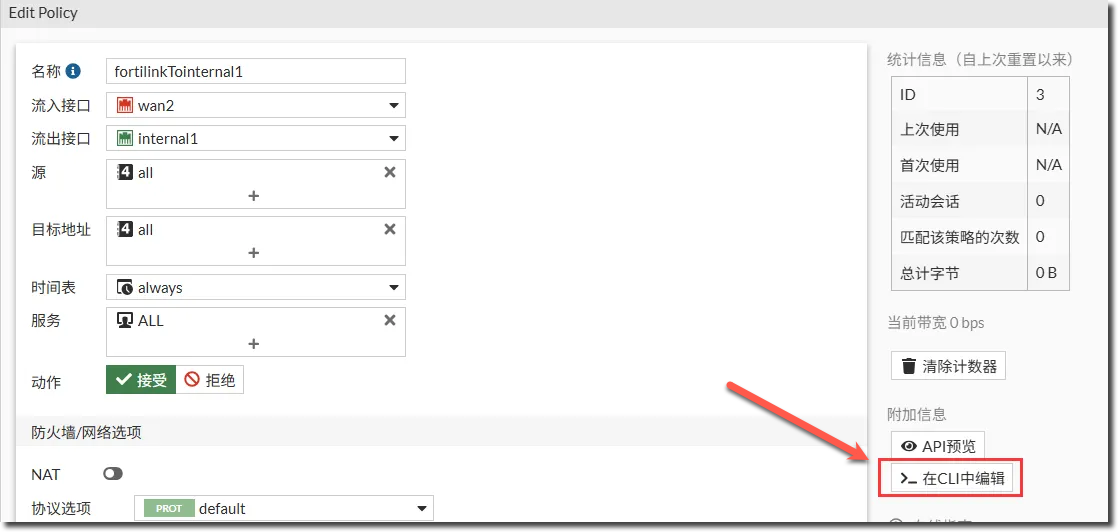
配置 internal1 → FortiLink 接口之间放通的 FortiGate 策略。
- 默认在 FortiGate 的 GUI 页面是无法选择到 FortiLink 接口的,可以先在 GUI 页面选择一个别的不用的接口,然后在这个 FortiGate 策略的 CLI 下选择 FortiLink 接口。
然后 GUI 页面可以显示出 FortiLink 接口。
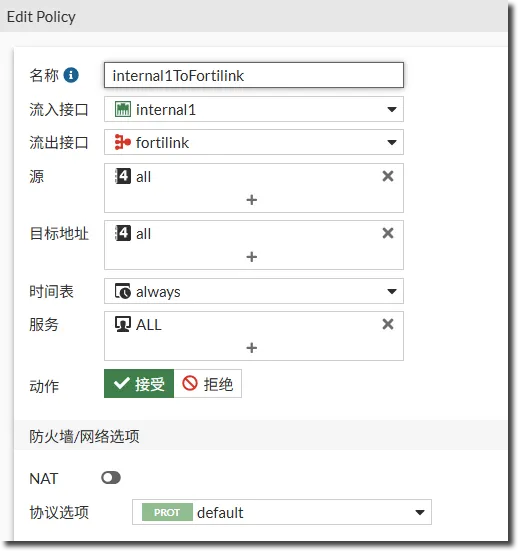
internal1 和 FortiLink 接口之间不能使用 NAT 方式通讯。
第三方二层交换机配置(以 Cisco 交换机为例)。
#
vlan 10
#
vlan 4094
#
interface Ethernet1/0/23
 port link-type trunk
 port trunk permit vlan all
 port trunk pvid vlan 4094
#
interface Ethernet1/0/24
 port link-type trunk
 port trunk permit vlan all
 port trunk pvid vlan 4094
#
交换机上线。

授权交换机。
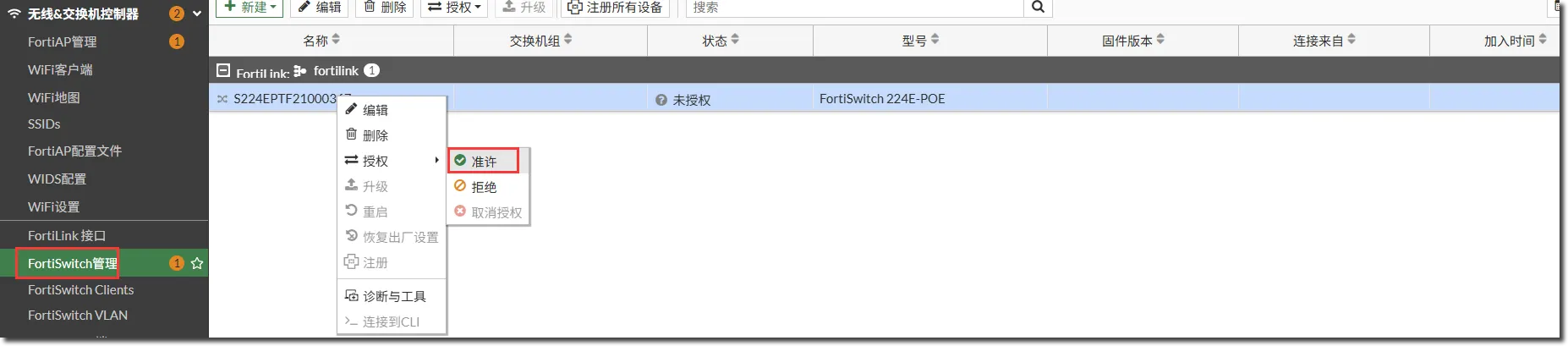
授权交换机后一段时间,交换机上线。

FortiLink interface : fortilink
SWITCH-ID         VERSION           STATUS         FLAG   ADDRESS              JOIN-TIME            SERIAL
S224EPTF21000367  v7.4.8 (929)      Authorized/Up   3    172.16.100.3    Tue Dec 30 15:32:00 2025    S224EPTF21000367

         Flags: C=config sync, U=upgrading, S=staged, D=delayed reboot pending, E=config sync error, 2=L2, 3=L3, V=VXLAN, T=tunnel, X=External
         Managed-Switches: 1 (UP: 1 DOWN: 0 MAX: 24)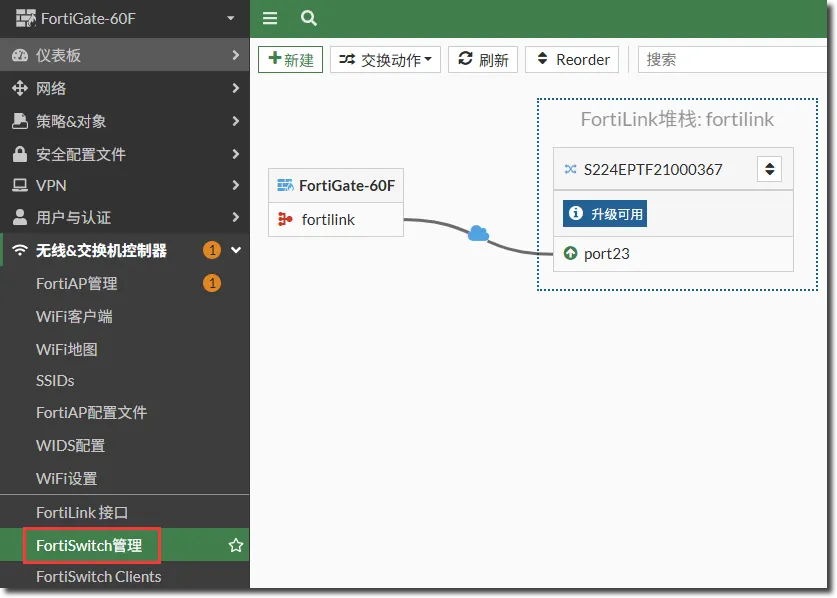
交换机状态查询。
S224EPTF21000367 # execute switch-controller get-conn-status

Get managed-switch S224EPTF21000367 connection status:
Connection: Connected
Image Version: FGT60F-v7.4-build2829
Remote Address: 10.255.1.1
Join Time: Tue Dec 30 15:32:00 2025
DTLS Version: DTLSv1.2
交换机上会自动建立下面的 Foritlink trunk:
S224EPTF21000367 # show switch trunk
config switch trunk
    edit "_FLinkDhcpDisc_"
        set auto-isl 1
        set static-isl enable
        set members "port23"
    next
end
配置 FAP 的管理 VLAN。
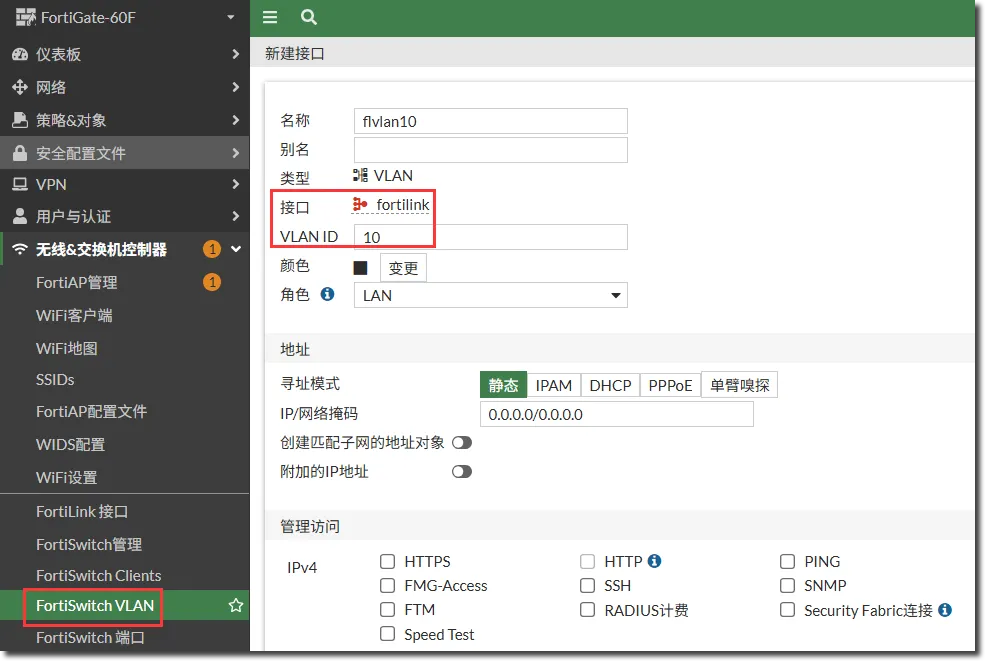
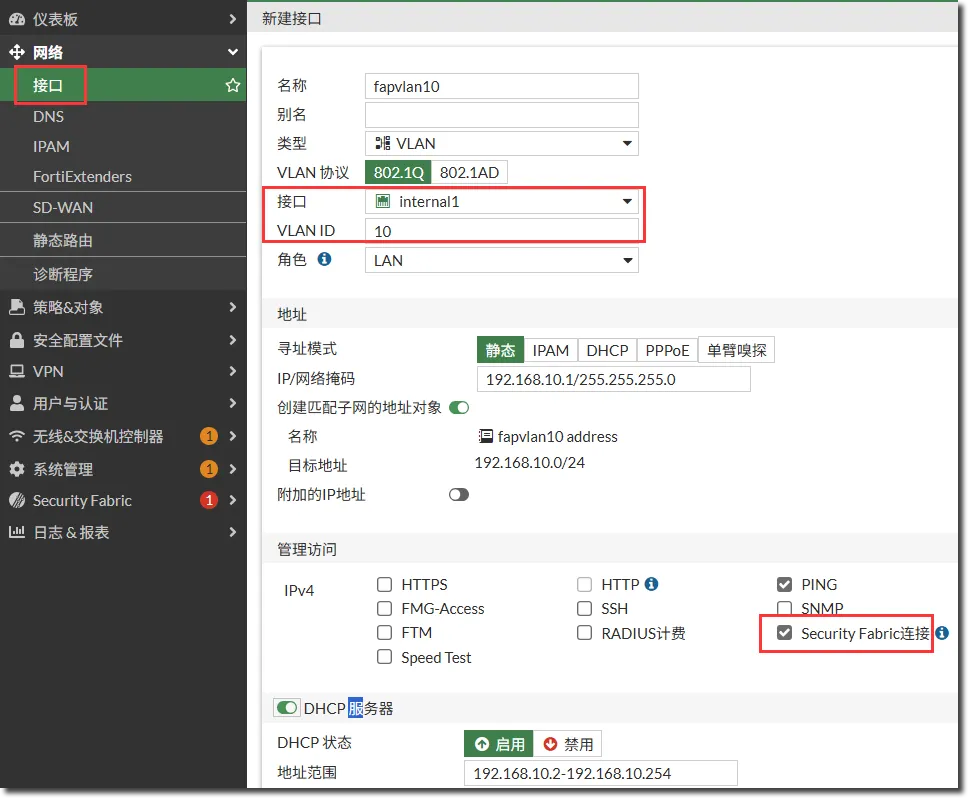
需要同时在 FortiLink 接口和 internal1 接口下配置 VLAN 子接口。
FortiLink 接口下的 vlan10 子接口只是用来做 FortiLink VLAN 下发给交换机用的,所以不需要配置 IP 地址。internal1 下 vlan10 接口的配置:
配置交换机 port1 口的 AP 管理 VLAN。
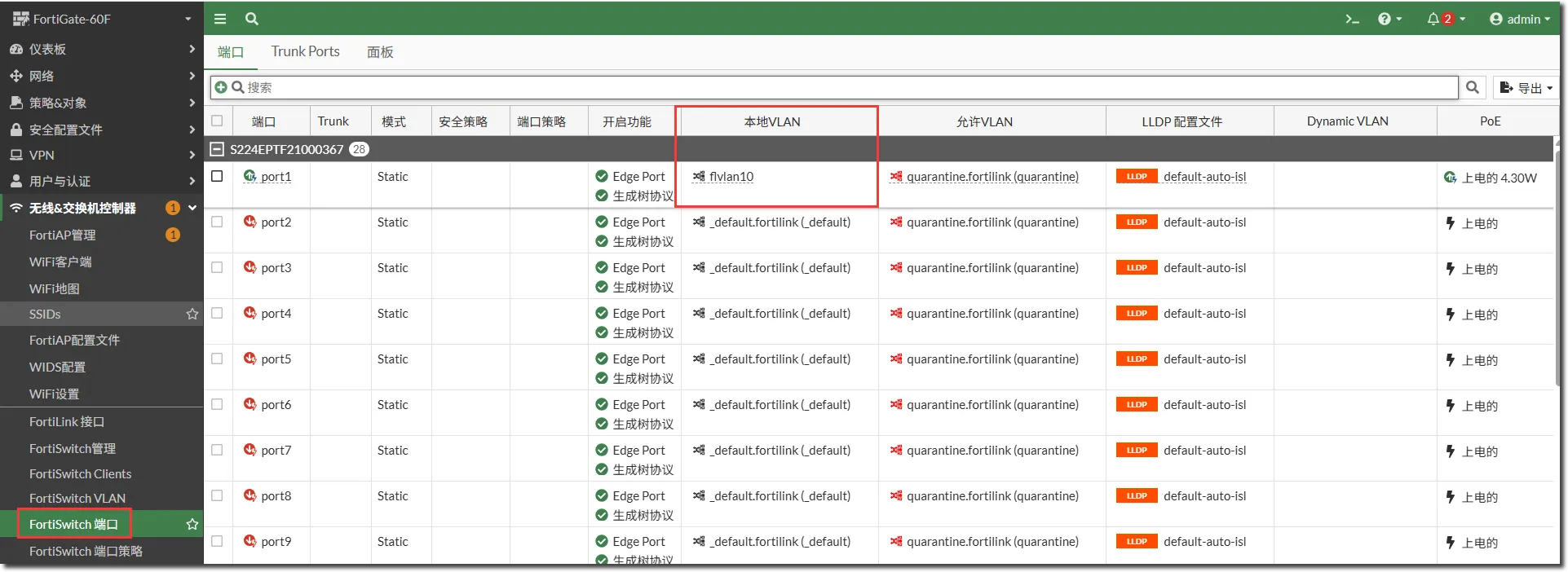
AP 上线,AP 接入网络中后会从 internal1 的 vlan10 接口获取到 IP 地址,然后 FortiGate 上需要授权 AP。

授权 AP 后,AP 上线。
