

静态路由
2025/10/29大约 2 分钟
静态路由
网络需求
静态路由是由系统管理员,根据网络的结构,在防火墙上手工添加路由条目。对于防火墙设备来说,静态路由是最基本的方式,也是最常用的添加路由的方式。
网络拓扑
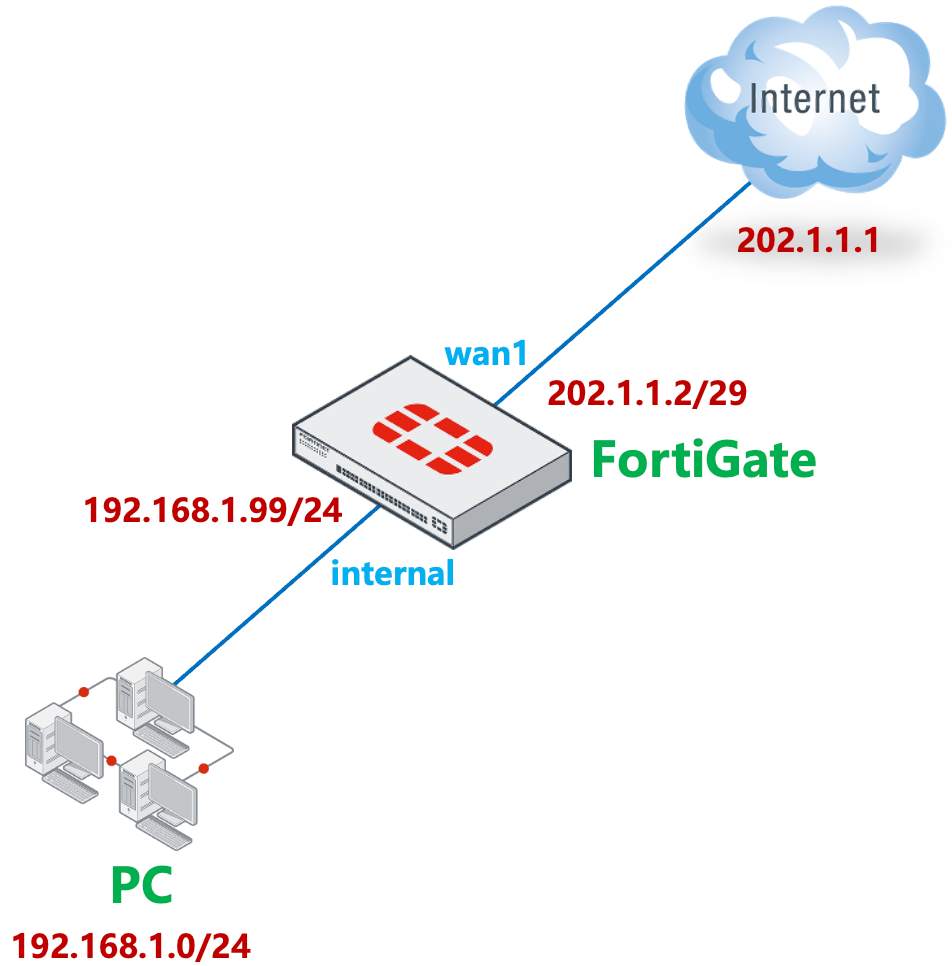
防火墙外网口 wan1 ip 地址为 202.1.1.2, 对端 ISP 路由器地址为 202.1.1.1。
配置步骤
配置相关接口 IP(略)。
进入网络 → 静态路由,点击 新建,按如下方式创建路由表。
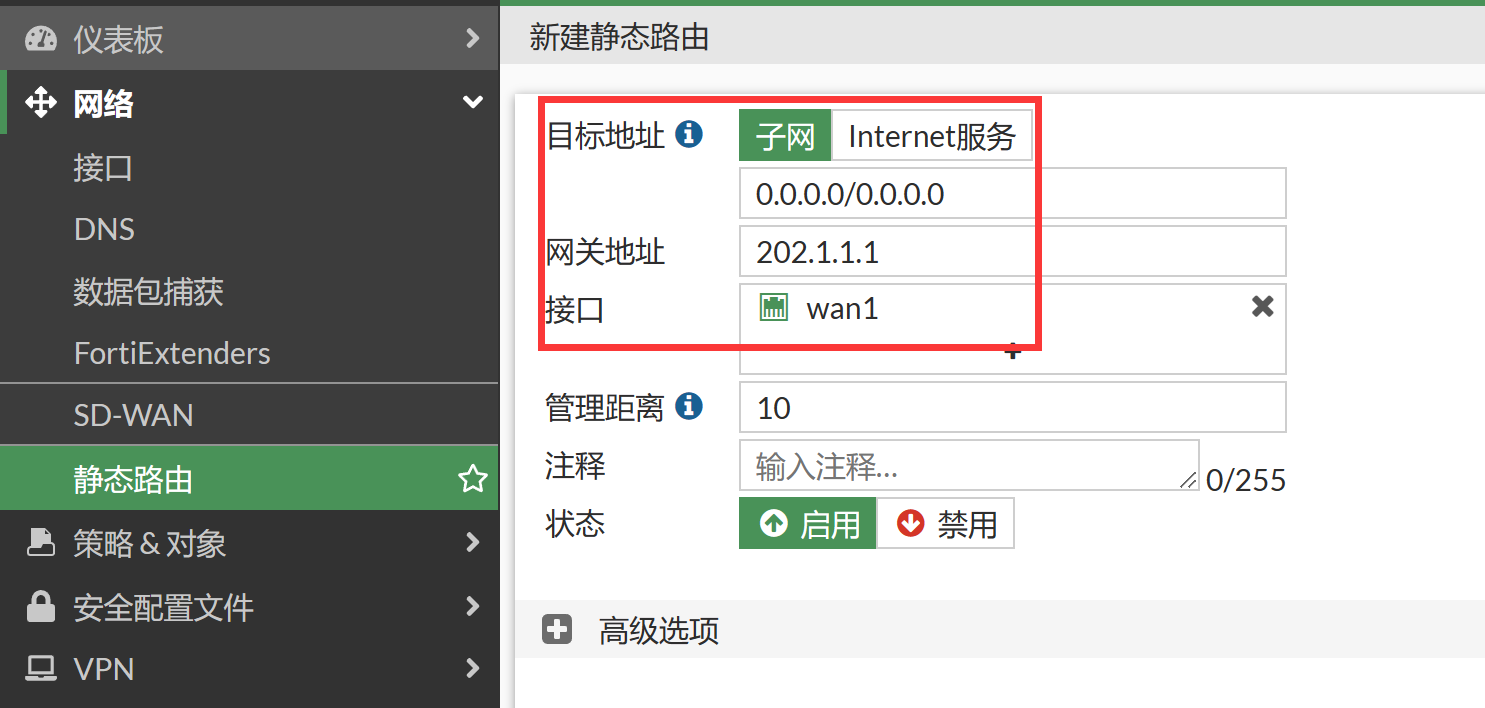
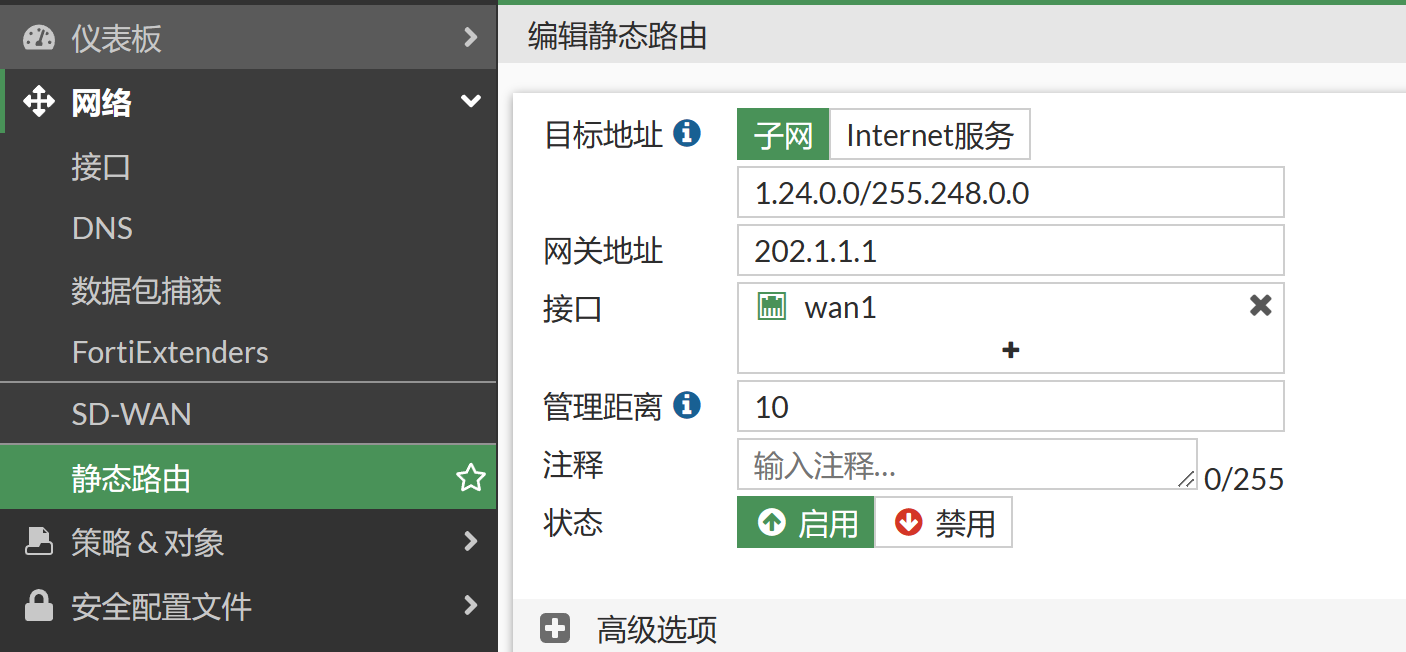
- 目的的 IP/子网掩码: 由于是默认网关,使用默认的 0.0.0.0/0.0.0.0 即可
- 设备: 该路由所关联的接口,wan1 口,必须正确填写,否则该路由无法工作
- 网关: 下一跳 ip 地址, 即 wan1 口对端运营商设备接口的 ip 地址
- 路径长度:默认 10。 对于相同的路由条目,管理距离短的会被放入路由表。如果管理距离相同,则都会被放入路由表
- 优先级:默认 0. 管理距离相同的两条路由,防火墙优先使用优先级参数较低的路由工作。
对应 CLI。
FortiGate # config router static
FortiGate (static) # edit 1
FortiGate (1) # set gateway 202.1.1.1    //本条目没有定义dst目的网络,则默认为为0.0.0.0/0.0.0.0
FortiGate (1) # set device wan1
FortiGate (1) # next

FortiGate (static) # edit 2
FortiGate (2) # set dst 1.24.0.0 255.248.0.0
FortiGate (2) # set gateway 202.1.1.1
FortiGate (2) # set device wan1
FortiGate (2) # end
结果验证
通过图形页面查看路由表,进入仪表盘,添加路由监控组件。
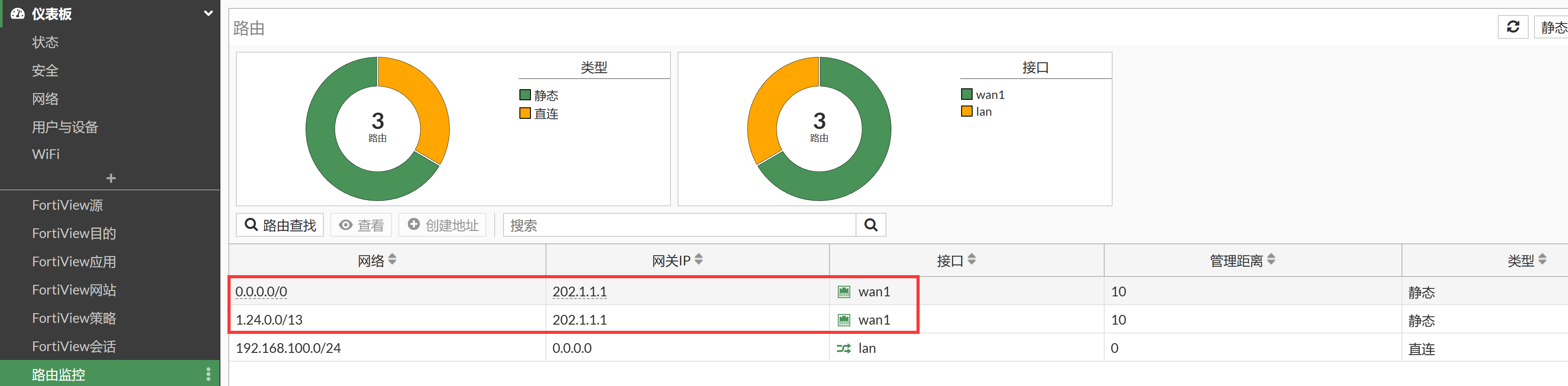
或通过命令行查看该路由是否生效:get router info routing-table static。
FortiGate # get router info routing-table all
Codes: K - kernel, C - connected, S - static, R - RIP, B - BGP
       O - OSPF, IA - OSPF inter area
       N1 - OSPF NSSA external type 1, N2 - OSPF NSSA external type 2
       E1 - OSPF external type 1, E2 - OSPF external type 2
       i - IS-IS, L1 - IS-IS level-1, L2 - IS-IS level-2, ia - IS-IS inter area
       * - candidate default

Routing table for VRF=0
S*      0.0.0.0/0 [10/0] via 202.1.1.1, wan1, [1/0]
S       1.24.0.0/13 [10/0] via 202.1.1.1, wan1, [1/0]
C       192.168.100.0/24 is directly connected, lan
通过 ping 202.1.1.1,确认链路正常。